
A content audit for SEO does not start in Ahrefs. It starts in Google Search Console, with the pages Google already knows you have.
Most guides tell site owners they need a six-week programme: crawl the site, score every URL, debate the spreadsheet. That is the website content audit Semrush describes for a large library. But it’s really suitable if you are a 2,000-page publisher. For a Singapore SME with 40 to 90 blog posts and one person who still has a day job, there’s a more efficient solution — the 90-minute version.
All you need to do is follow a two-week sequence. You will not leave with a new theory of content. The end goal is to prevent SEO content decay. Here’s where to click, what to export, and what to ignore to keep your site relevant and healthy:
What this audit is (and what it is not)
For the typical content audit, one question per URL is sufficient: “What should I do with this page?” For the SEO audit, another relevant question is: “Can search engines crawl this site?” “Is this site getting indexed?” “Does this site deserve to rank?” In your 90-minute analysis, do not confuse a content audit with an SEO audit.
If you have a large library of old posts that once drove traffic but no longer do, this audit is for you.
You don’t need to create a complete inventory of all the URLs your CMS has generated. Search Console only reports pages that have had at least one impression in the date range you select for the report. URLs with zero impressions can be added to the prune pass for later removal.
What you need for your SEO content audit
- Search Console access with 16 months of data, if available for the property.
- A blank spreadsheet with four columns to start: URL, clicks, impressions, average position. The fifth column will be used for your ‘Bucket’ classification.
- For a 1-hour audit, we work with the last 16 months of data (if available for the property). A month is noise, decay is a trend over 16 months. The last 28 days are too recent for a 1-hour audit.
- For Singapore sites with tuition, retail or festive demand: a year-on-year view, not month-on-month.
You might need to use Ahrefs, etc., to check the referring domains for a single URL at minute 40 of this 90-minute exercise. Beyond that, paid tools can wait.
Minutes 0–20: export and sort
Open Search Console → Performance → Search results.
Google’s Performance report is the working file for this sitting. Set the date range to the last 16 months. Leave Search type on Web. Add a filter for Page if you only want the blog, for example a /resources/ or /blog/ prefix.
Turn on Clicks, Impressions, Average CTR and Average position. Open the Pages tab. Export.
In the sheet, sort by clicks descending, then impressions, then position. You now have the shape of the library. On our own site in July 2026, 90-plus resource posts collapsed to about 39 keyword-ranking rows. That is the
80/20 rule in SEO in a single export: most URLs will sit near the bottom with almost no clicks. Do not start writing new briefs from the bottom of this list.
Delete rows that are not content: tag archives, author archives, pagination, search-result URLs, thank-you pages. They are not in this audit.
Minutes 20–40: tag every URL
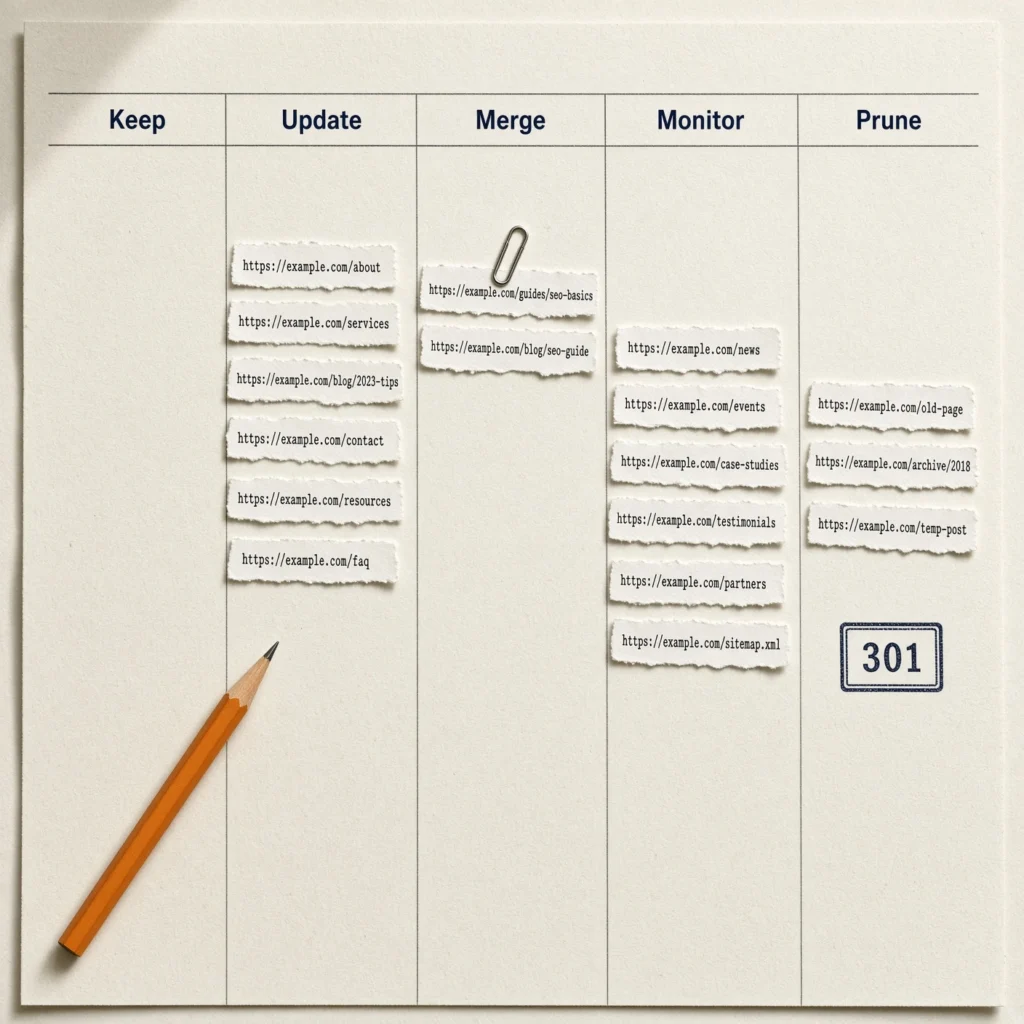
This is the only part of the 90 minutes that uses judgement, and even here the rule is written down. Open the content decay buckets next to the sheet and tag. Do not debate.
| Bucket | What you see in the export | Tag it |
| Keep | Position ≤ 4, clicks stable across the 16 months. | Leave the URL. No rewrite this cycle. |
| Update | Impressions exist. Position 5–20, or the title still carries last year’s date. | Refresh the page. Keep the URL. |
| Merge | Two URLs will look similar in the sheet — close titles, split clicks. | Park both. Confirm the query overlap in the next block. |
| Monitor | Some impressions, no clear trend, no commercial job yet. | Leave it. Review in 90 days. |
| Prune | No impressions in 16 months, or a handful of impressions and nothing else. | Candidate only. Links check comes next. |
If you have more than 100 indexable posts, do not tag the whole library in this sitting. Tag the top 60 rows by impressions. That is the 90-minute scope. The long tail waits for the annual pass.
Minutes 40–60: check links before you prune
For each Prune candidate, open up Search Console → Links → External links (or the backlink tool you already pay for to get the referring-domain report). If the URL still has referring domains, it is not a prune. It is a redirect.
We have some historic URLs on our own domain from a pharma-spam injection. They are worthless as pages. They still hold referring domains. A 404 throws that equity away. A 301 to a relevant parent — or a holding page you control, if nothing is relevant — keeps it.
Move rows that are candidates for pruning to the “Redirect” working label. The rule for the Prune action is 3 conditions in one: the URL gets no impressions, gets no links, and has no internal purpose. Fail the middle condition, then consider for the Redirect bucket.
Minutes 60–75: confirm the merge groups
Just because two similar URLs exist doesn’t mean you should merge them. Similar titles don’t mean merge. Similar queries mean merge.
Pick a suspected pair, then go to Search Console> Performance> Queries for that URL. List out the top 5 queries for that URL. Repeat for the other suspected URL. If 3 or more of the top 5 queries for each URL are similar, then those are merge groups. Keep the most-clicked URL or the URL with the most referring domains, and set up a 301 redirect to send traffic from the other URL to this one.
In contrast, two pages with non-overlapping queries even though they contain similar title phrases are not merge candidates, even though one explains a term and the other promotes a service related to that term. So, in this case, you would leave the two pages in the library and link them instead.
For the library, this pass of analysis produced 12 merge groups from 14 URLs (almost all candidate URLs formed pairs). Remember, this is not to build a new cluster but to select a survivor.
Minutes 75–90: write the next two weeks, not the next quarter
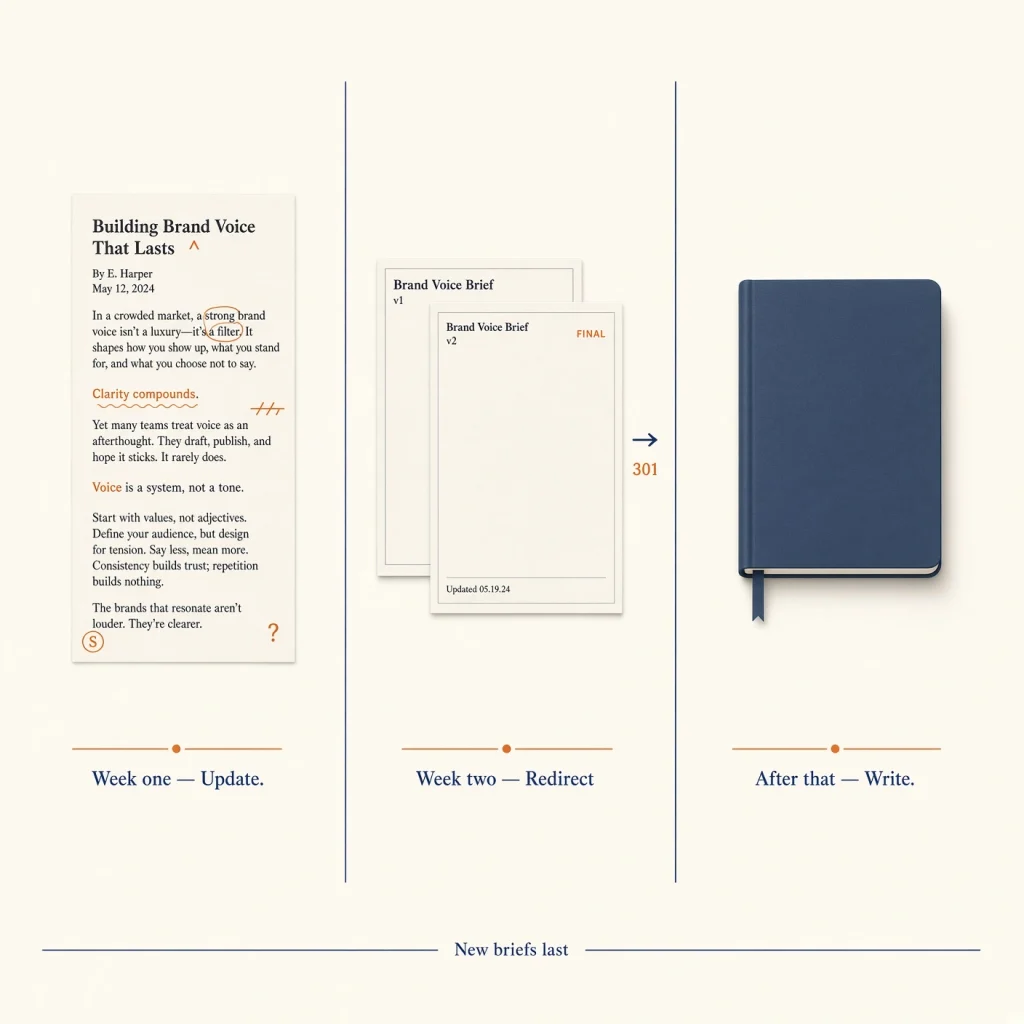
The sheet is now tagged. The last 15 minutes are a sequence, not more analysis.
- Week one. Update the position 5–20 pages that already have impressions. Facts, H1, examples, internal links. Do not change the URL.
- Week two. Fire the 301s for confirmed merge groups and Redirect rows. Point internal links at the surviving URL.
- After that. Only then look at new briefs, and only for queries no surviving URL covers.
Tie any new page back to a cornerstone content URL so it has a parent. An unlinked new post is how the next audit finds another orphan.
That is the end of the 90 minutes. What follows is editing time — hours, not another spreadsheet.
What a first content audit pass actually looks like
When we ran this on our own resources library, the split was not flattering: Keep 0, Update 35, Merge 14 URLs across 12 groups, Monitor 48, Prune 3. Keep at zero is common on a young SME blog. It means nothing is both top-four and stable. The work is Update and Merge.
Two ranking pages were not linked from the resources index. They were not decaying because the writing was weak. They were decaying because the site had forgotten them — a Code problem in the 3 C’s of SEO, not a reason to commission a new post on the same topic.
A Singapore tuition site with 224 indexed pages is outside this 90-minute scope if you try to tag every URL. Do the same sitting on the top URLs by impressions only. The programme, level and location tail is a separate prune pass.
Three SEO content audit mistakes that waste the hour
- Using 28 days of data. You will tag seasonality as decay. Use 16 months, and year-on-year on education and retail queries.
- Pruning from impressions alone. Check links. Then check whether the URL is the only internal path to a live service page.
- Rewriting a page because an AI Overview took the clicks. If impressions held and position held, that is not decay. It is zero-click capture. Structure the page so it can be the source — the same work as how to rank in Google AI Overviews — do not 301 it into a cousin article.
After the 90 minutes
A decay audit is also how an AI SEO programme keeps the pages it already earned. Stale URLs drop out of AI Overviews and ChatGPT citations first. The 90-minute pass is how you find those URLs before you brief the next article.
Run the full pass once a year on a site with fewer than 100 pages. Apply the 90-minute pass to the top URLs by impressions each quarter. You don’t have to rebuild the taxonomy every month.
Conclusion
Singapore SMEs with small teams don’t need to go through tedious SEO content audits. A regular tagged export and a two-week sequence will secure a good sitting for your blog between festive peaks and exam-season spikes.
Just export 16 months from Search Console. Sort. Tag. Check links on every prune. Confirm merge groups by query overlap, not by title. Then update, then redirect, then write.
If you would rather not spend the quarter learning which of your own posts are splitting the same three queries, we run this sitting as part of the work at The Leading Solution.
FAQs
Can I run my content audit without Search Console?
No, because Analytics will show sessions only and you won’t get impressions or average position, which is how you tell Update from Monitor. Get the property verified first.
What if I have 200 posts?
Cap the sheet at the top 60 URLs by impressions. Put the rest in Monitor phase until the annual pass.
Do I need a template for my SEO content audit?
The standard method includes four columns plus a bucket. Adding extra columns for title, last updated and referring domains also helps.
About The Director
Notable Achievements


Struggling to Attract More Traffic?
Let us help! We provide various digital marketing services that can easily rank your website on the first page of Google such as:
Allow your website to be seen by more users by scheduling an appointment with us today!